
Virtual try-on for bags
With Aynada, a shopper sees a bag on a photo of themselves before they buy, and their outfit stays as it is. Below are two real results with a leather tote from our demo store, and what to know before you switch it on.
Install on ikasReal results
The people in these sample photos are AI-generated models, not real shoppers. The try-on results are Aynada's real output, made with Aynada's Shopify app on our own demo store and not retouched; they are only scaled down for this page.
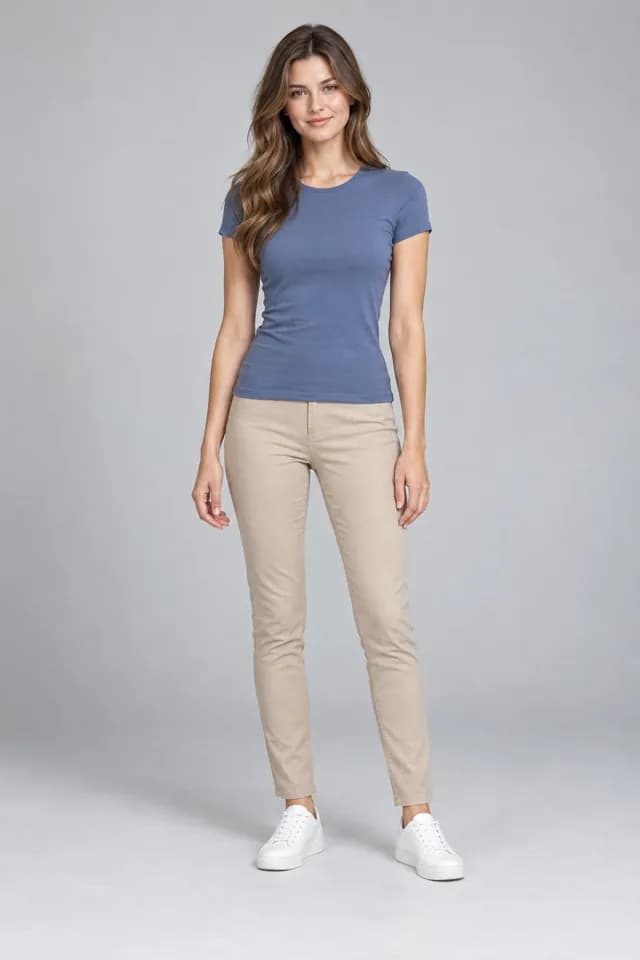
Shopper's photo 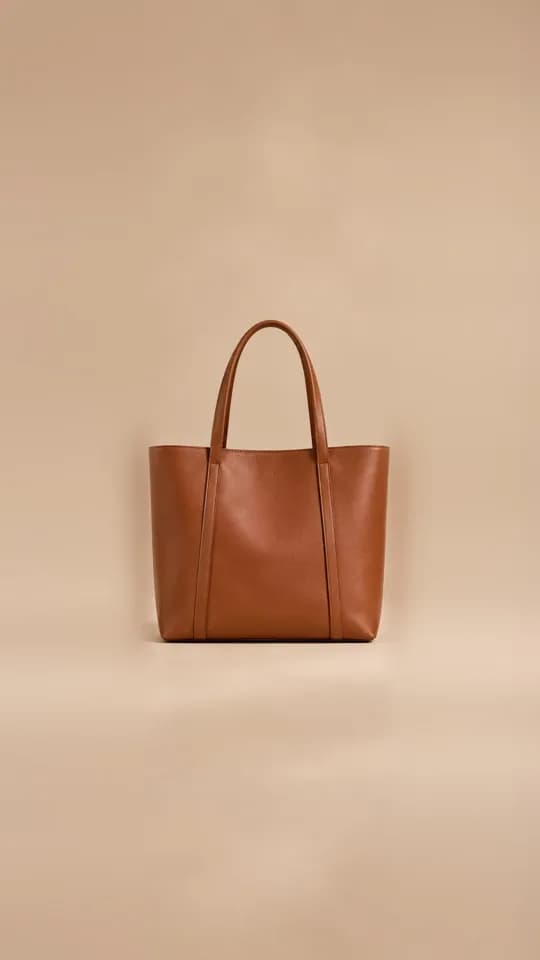
Product 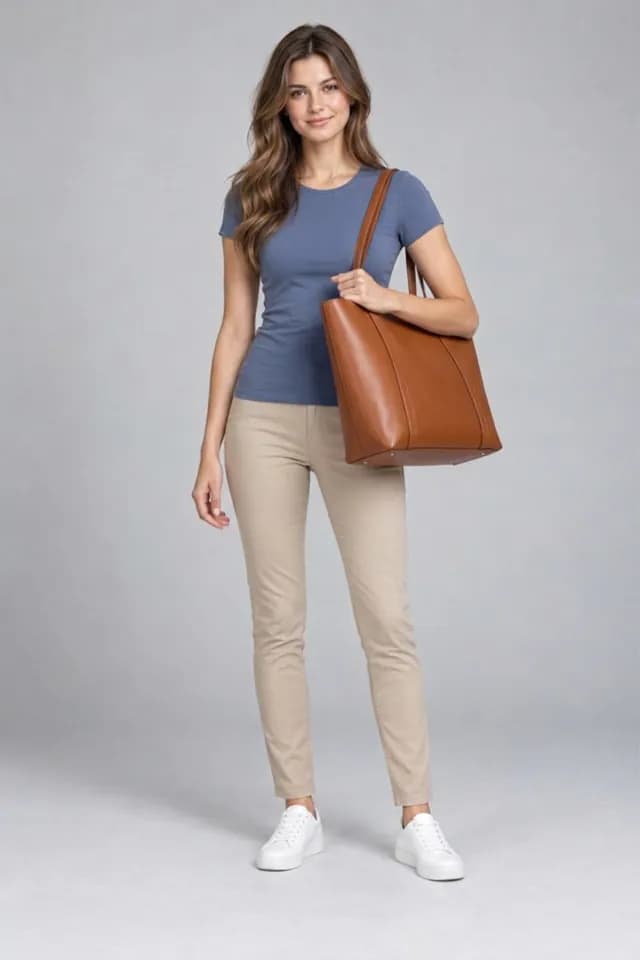
Aynada's result The Structured Leather Tote on a full-length studio photo of a woman, carried on the shoulder.
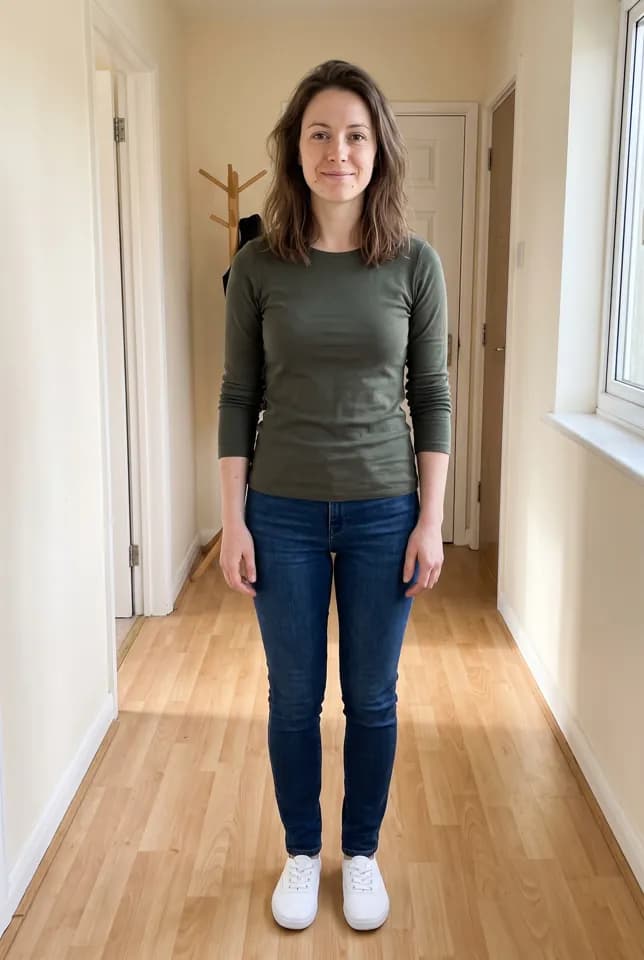
Shopper's photo 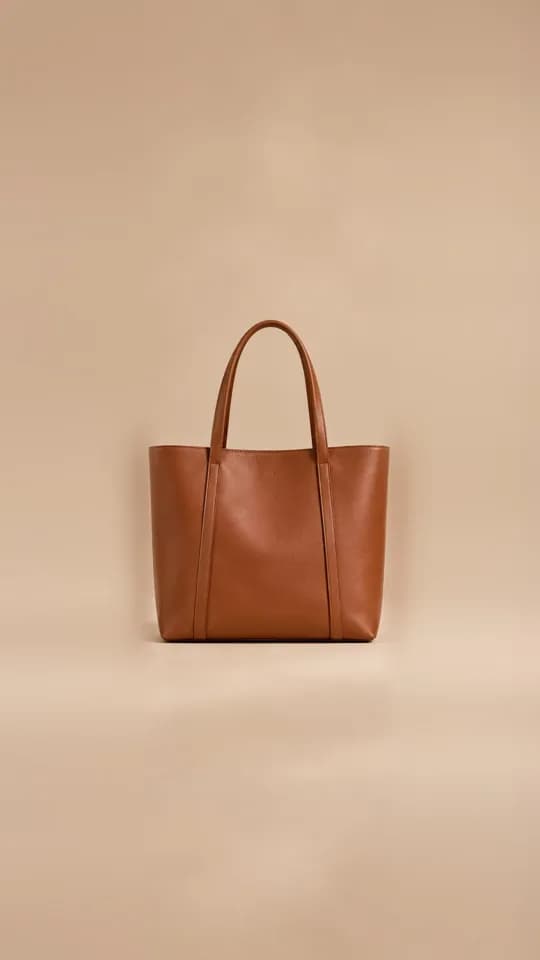
Product 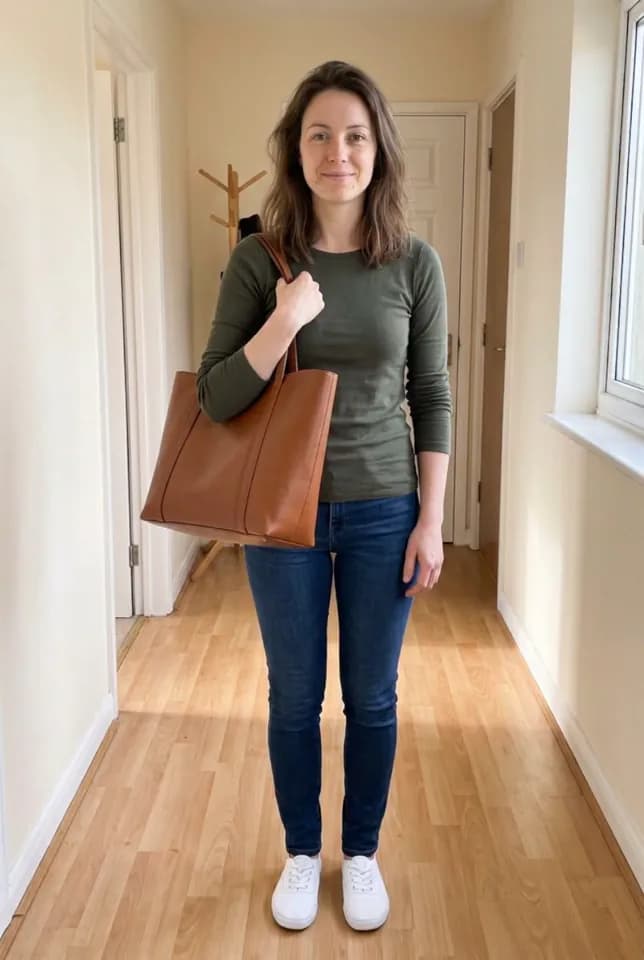
Aynada's result The same Structured Leather Tote on a full-length photo of a woman at home, carried on the shoulder.
What the shopper does
The try-on happens on your product page, with no app to download and no account. The shopper taps the try-on button, uploads a photo of themselves, usually straight from the phone, and compares the result with the original photo in a before-and-after slider. The try-on window says it usually takes 15–20 seconds.
For a bag, the AI is told to have the person carry it the way this kind of bag is normally carried. The AI is told to keep the person’s face, hair, skin, body shape, pose, hands, clothing and background unchanged, to add only this one item, to preserve its colour, material, shape, details and logos, and to give it a realistic size relative to the person.
Every result tells the shopper that it is an AI preview, not a statement about fit or size.
Which photo works best for bags
The examples on this page were made with Aynada’s Shopify app on our own demo store. The people in the photos are AI-generated models, not real shoppers; the try-on results are Aynada’s real output, not retouched.
For bags, the ikas try-on window asks for a full-length or waist-up photo in a mirror, in good light, and advises against a dark photo, one taken too close, or one where the spot the bag goes is covered. Both examples above are full-length photos, one in a studio and one at home.
How you switch on bag try-on
On ikas, you install Aynada from the ikas App Store. No code and no theme edits are needed: the button places itself next to “Add to cart”. You choose which products show it, by category or for single products, so you can start with your bags. A store new to Aynada on ikas starts with the button switched off on every product. Aynada for ikas has the details.
To decide what a product is, Aynada reads your category names, and the product name when the categories say nothing specific. On Shopify it reads the product type and the product name the same way. Clear category names such as “Bags” or “Tote Bags” give the AI the more specific rule. A product with no recognisable category is treated as clothing, so check a few products before you switch the button on everywhere.
Aynada for Shopify, the app the examples on this page were made with, is on its way to the Shopify App Store. There, the button is added to the product page as an app block in Shopify’s theme editor, and you choose which products show it. Details are on the Shopify page.
Where it falls short
Our examples show one kind of bag, a tote carried on the shoulder. The AI is told to carry each kind of bag the way it is normally carried, but this page shows no backpack, clutch or wallet, so look at a few results with your own bags first.
The result is a preview, not a measurement. The AI is told to give the bag a realistic size relative to the person, but the image does not tell anyone the bag’s real dimensions.
A photo taken too close, or one where an arm or the phone covers the spot where the bag goes, leaves the AI less to work with.
For every kind of product, Where virtual try-on works, and where it is weaker explains what makes results weaker and why.
Questions and answers
Does the shopper’s outfit change?
No. The bag is added to the person; the AI is told to keep their clothing, face, pose and background unchanged.
Which photo works best for a bag?
A full-length or waist-up photo in a mirror, in good light. The ikas try-on window advises against a dark photo, one taken too close, or one where the spot the bag goes is covered.
Does the result show the bag’s real size?
Not exactly. The AI is told to give the bag a realistic size relative to the person, but the result is an AI preview, not a measurement.
Are the people in the examples real?
No. They are AI-generated models, not real shoppers. The try-on results are Aynada’s real output, made with Aynada’s Shopify app on our own demo store and not retouched.