
Virtual try-on for clothing
Aynada was designed for clothing: a shopper sees a dress, a top or a jacket on a photo of themselves before they buy. Below are real results with three dresses, a jacket and a sweater from our demo store, two of them under “Weaker results” because the face came out different, and what to know before you switch it on.
Install on ikasReal results
The people in these sample photos are AI-generated models, not real shoppers. The try-on results are Aynada's real output, made with Aynada's Shopify app on our own demo store and not retouched; they are only scaled down for this page.

Shopper's photo 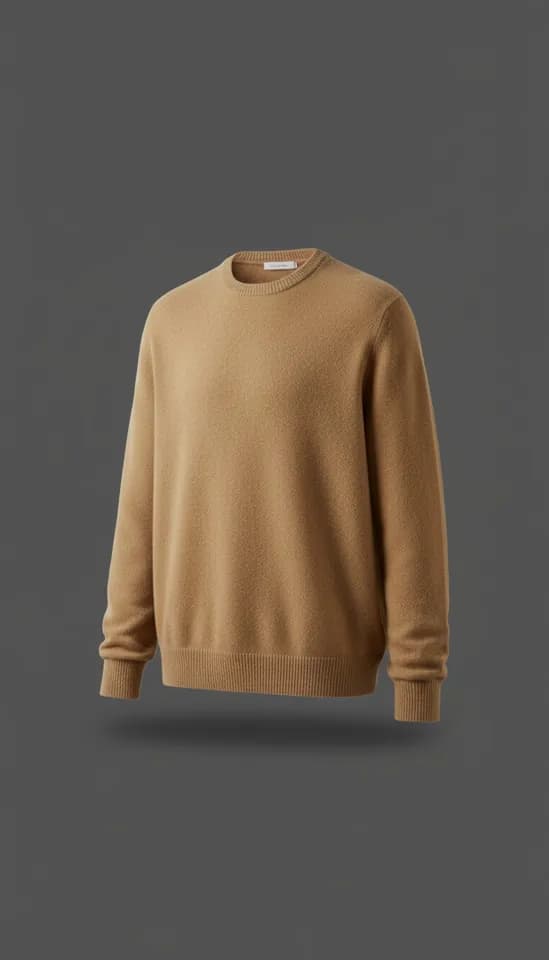
Product 
Aynada's result The Merino wool crewneck sweater on a waist-up photo of a woman at home; only her top changes, her jeans stay.
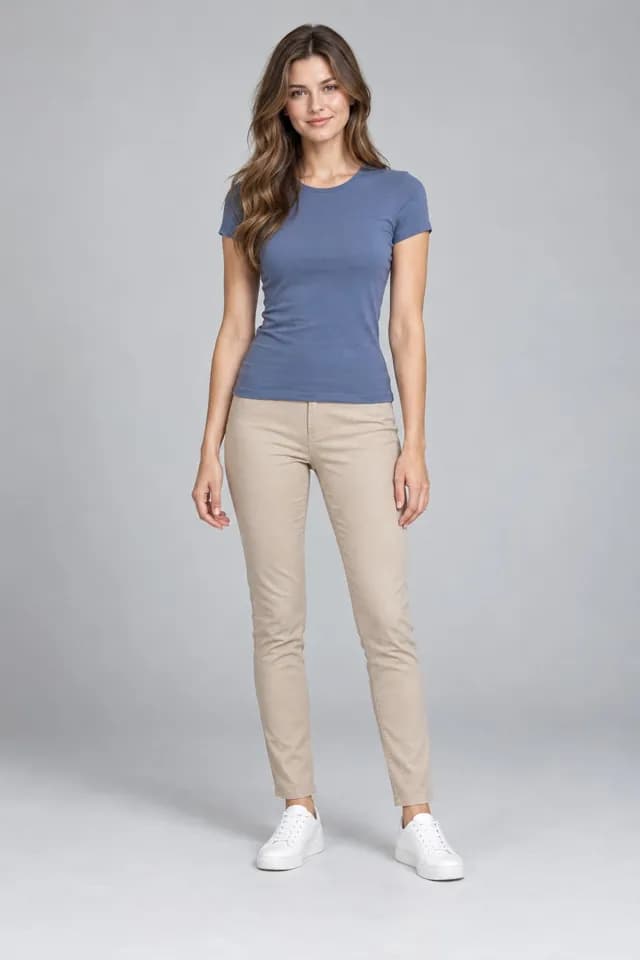
Shopper's photo 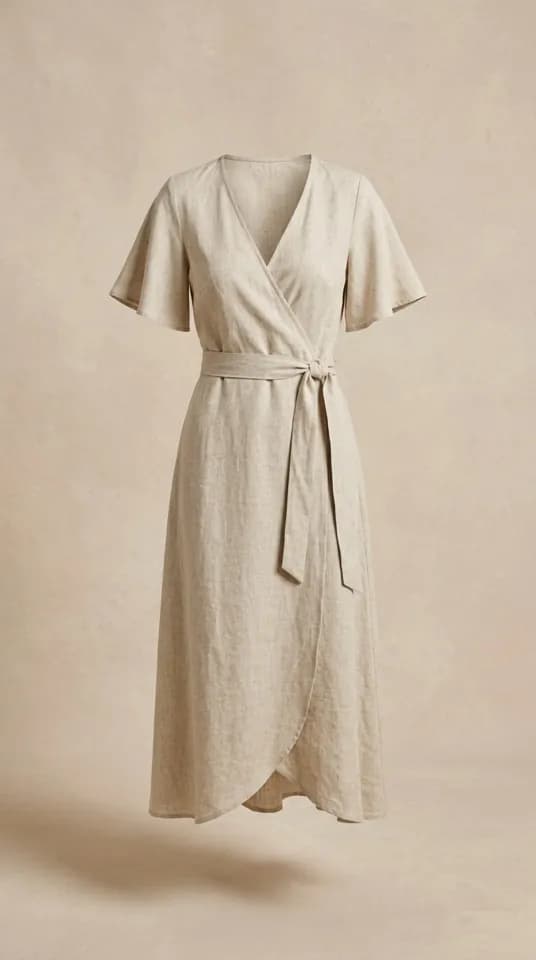
Product 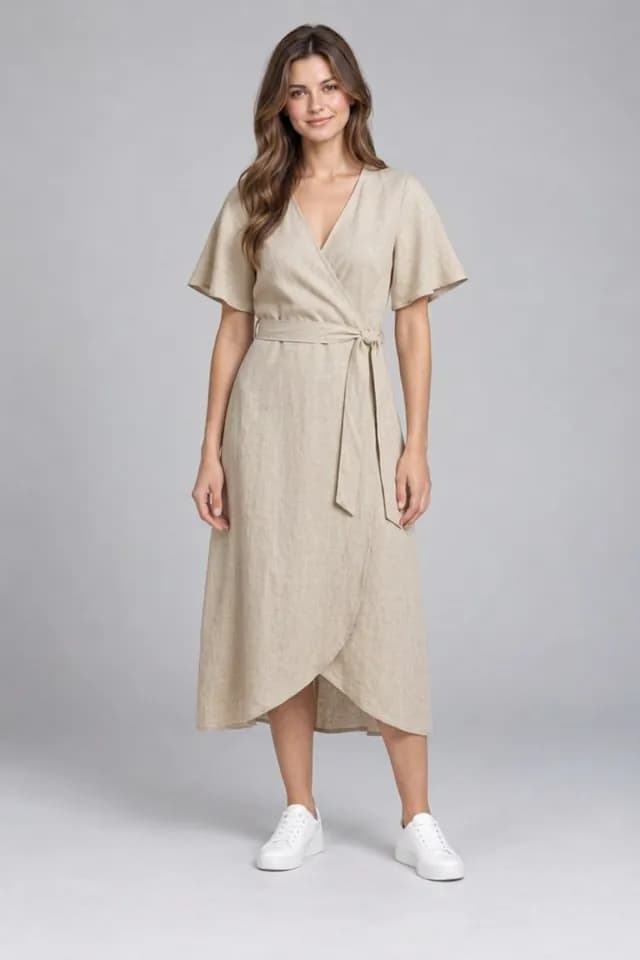
Aynada's result The Linen Wrap Midi Dress on a full-length studio photo of a woman.
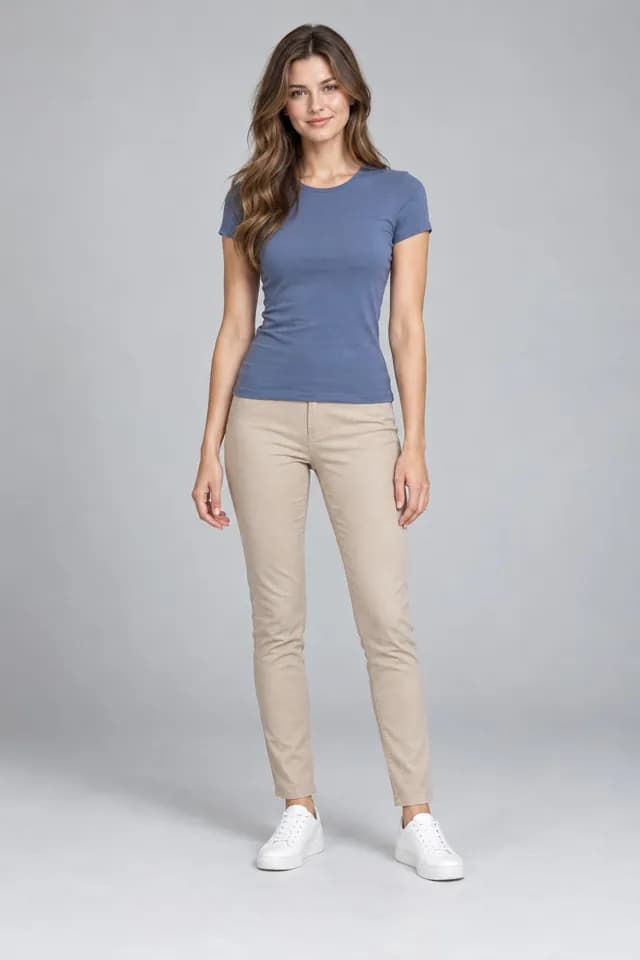
Shopper's photo 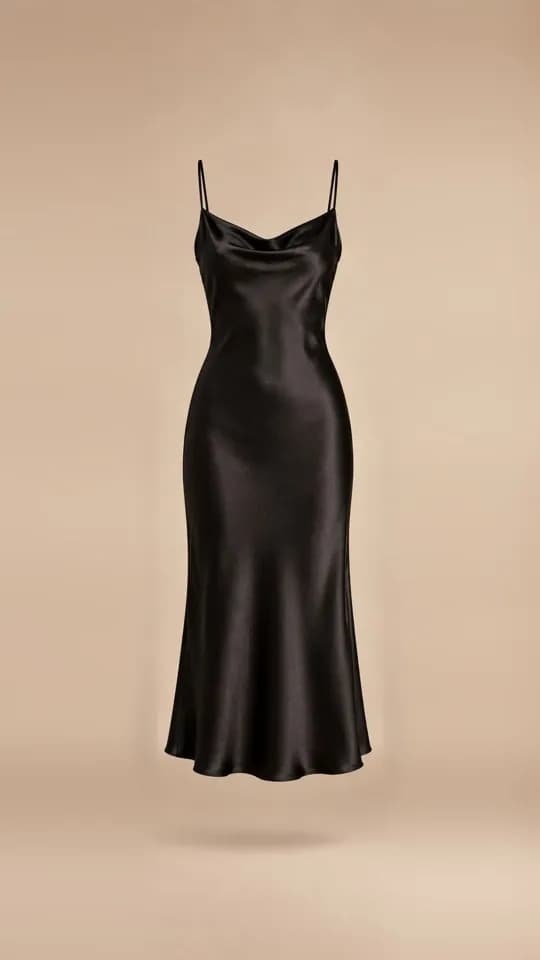
Product 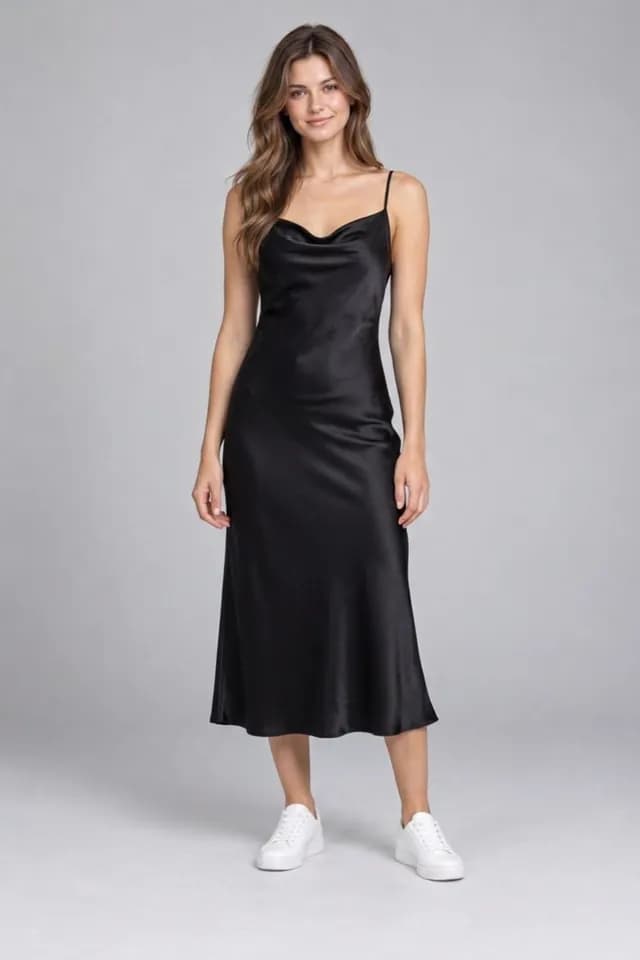
Aynada's result The Black Satin Slip Dress on a full-length studio photo of a woman.
What the shopper does
The try-on happens on your product page, with no app to download and no account. The shopper taps the try-on button, uploads a photo of themselves, usually straight from the phone, and compares the result with the original photo in a before-and-after slider. The try-on window says it usually takes 15–20 seconds.
Each kind of garment has its own rule. A top replaces only the upper-body garment and keeps the trousers; a dress replaces top and bottom, with bare skin where it does not cover the arms or legs; a jacket goes over what the person already wears, and whatever the model in the product photo wears underneath is not part of the product.
The AI is told to keep the shopper’s face, hair, skin, body shape, pose, hands and background, to preserve the garment’s colour, pattern, logos, neckline, sleeves and length, and to fit it to the person’s real body: not to make them thinner or change their proportions.
Every result tells the shopper that it is an AI preview, not a statement about fit or size.
Which photo works best for clothing
The examples on this page were made with Aynada’s Shopify app on our own demo store. The people in the photos are AI-generated models, not real shoppers; the try-on results are Aynada’s real output, not retouched.
For clothing, the ikas try-on window asks for a full-length photo in a mirror, in good light; the phone can be in front of the face. It advises against a dark photo, one taken too close, or the phone covering where the garment goes, and while the image is being created it adds that arms held slightly away from the body help. The dresses and the jacket above are full-length photos; the sweater is a waist-up photo, which is enough for a top.
How you switch on clothing try-on
On ikas, you install Aynada from the ikas App Store. No code and no theme edits are needed: the button places itself next to “Add to cart”. You choose which products show it, by category or for single products, so you can start with the kinds of clothing that suit your catalog. A store new to Aynada on ikas starts with the button switched off on every product. Aynada for ikas has the details.
Clothing is Aynada’s default: a product with no recognisable category is treated as clothing. Aynada reads your category names and the product name; on Shopify it reads the product type and the product name the same way. Clear category names such as “Dresses”, “Jackets” or “Sweaters” give the AI the more specific rule for that kind of garment, such as a dress replacing top and bottom.
Aynada for Shopify, the app the examples on this page were made with, is on its way to the Shopify App Store. There, the button is added to the product page as an app block in Shopify’s theme editor, and you choose which products show it. Details are on the Shopify page.
Where it falls short
The AI is told to keep the shopper’s framing and not to extend the image, so with a waist-up selfie, new trousers or a skirt are not meant to appear. It does not always manage it: on our hats and scarves page, one result re-framed a close photo and drew a chest and arms that were not in it. Trousers, skirts and dresses need a full-length photo. Our examples include no trousers or skirts.
Product photos often show a model in other clothes. The AI is told to use them only as a reference for the one garment, but busy product images, a dark photo or a covered body leave it less to work with.
Try-on of underwear and lingerie on a shopper’s own photo is not something Aynada offers. On ikas, products recognised as intimate wear stay switched off unless you turn the product itself on. On Shopify, leave the button off for such products.
The result is a preview, not a size recommendation: Aynada does not know the shopper’s measurements, and your size chart stays as important as it was.
For every kind of product, Where virtual try-on works, and where it is weaker explains what makes results weaker and why.
Weaker results
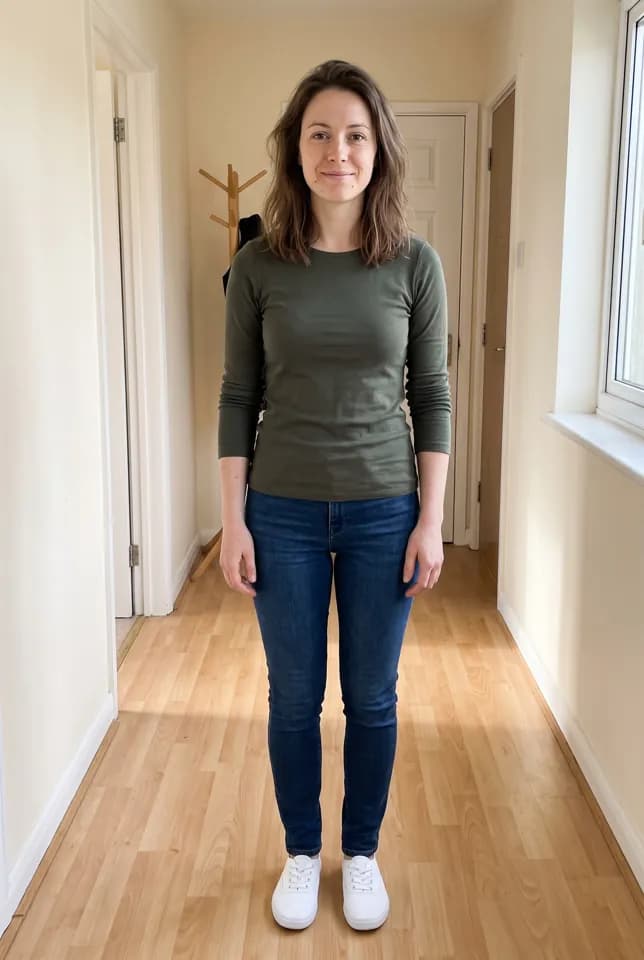
Shopper's photo 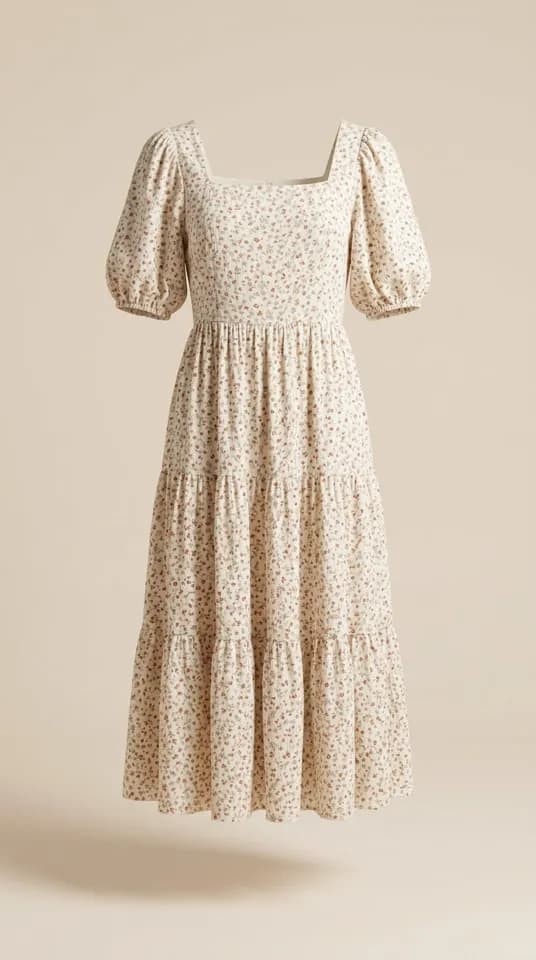
Product 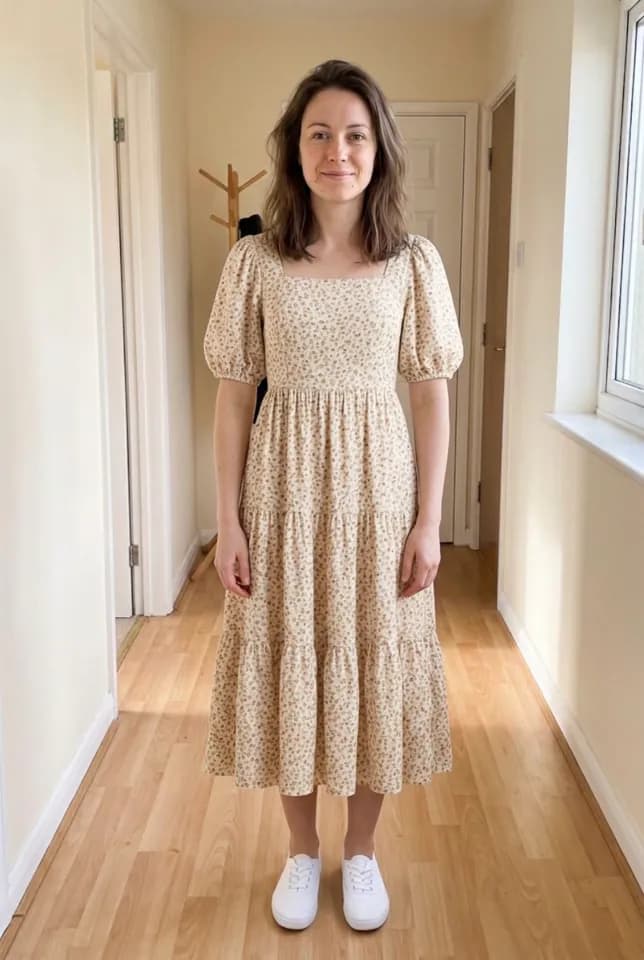
Aynada's result The Floral Print Summer Dress on a full-length phone photo of a woman at home. The dress replaces her top and jeans, but her face came out smoother and slightly different from the photo, which is easiest to see on everyday phone photos like this one.
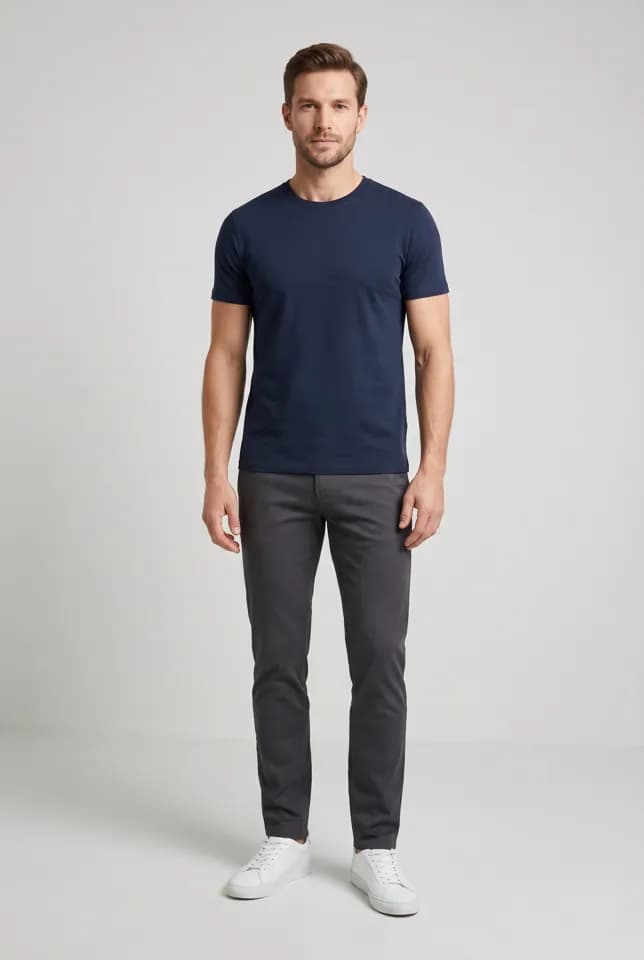
Shopper's photo 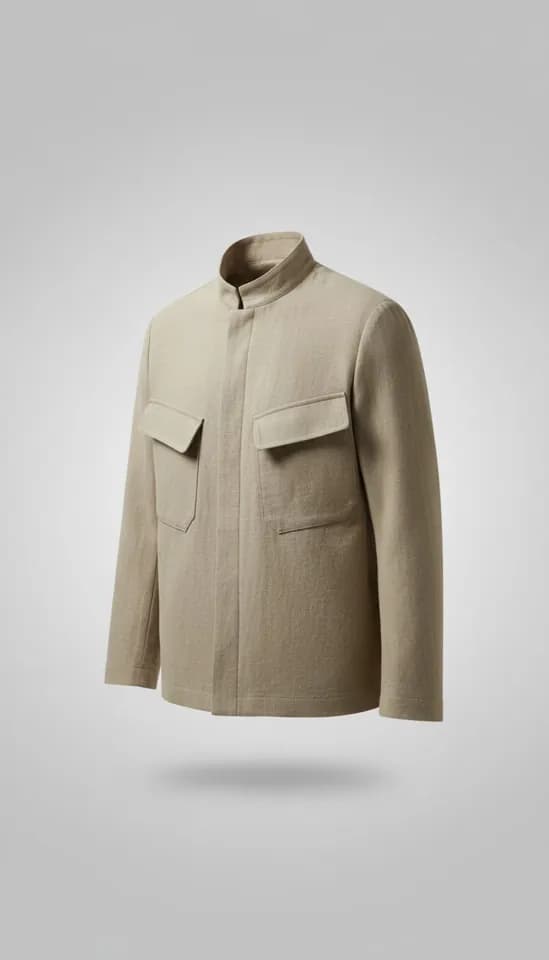
Product 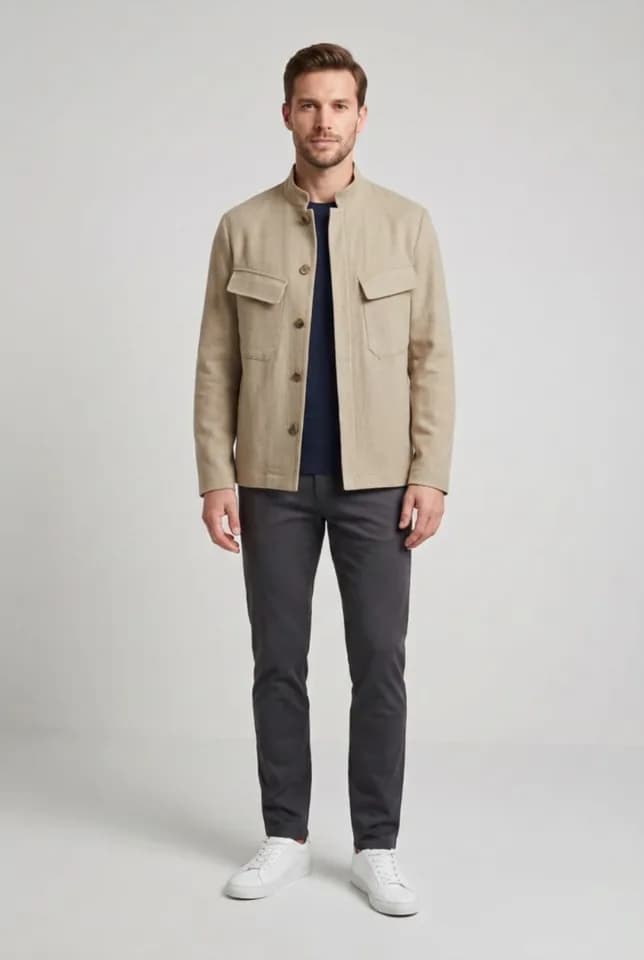
Aynada's result The Cotton Jacket on a full-length studio photo of a man. The jacket is close to the product, though its buttons and collar differ, and his face came out noticeably different from the photo: the AI is told to keep the face, and here it did not quite.
Questions and answers
Why does a waist-up photo not show new trousers?
The AI is told to keep the shopper’s original framing and not to invent parts of the body that are not in the photo. For trousers, skirts and dresses, a full-length photo is needed.
Does Aynada make the shopper look thinner?
No. The AI is told to fit the garment to the person’s real body and not to make them thinner or change their proportions.
Can shoppers try on underwear?
No. Try-on of intimate wear on a shopper’s own photo is not offered. On ikas such products stay off unless you switch the product itself on. On Shopify, leave the button off for such products.
Are the people in the examples real?
No. They are AI-generated models, not real shoppers. The try-on results are Aynada’s real output, made with Aynada’s Shopify app on our own demo store and not retouched.